
Tap the field.
Own the match.
Tap where the shot came from and answer one card. The score, box score, keeper saves, shot map and match trends build from the bench.
iPhone and iPad · Varsity, JV, Freshman and Club · Works offline · Optional video clips
 Scan with your iPadOpen your camera and point it here to install Soccer.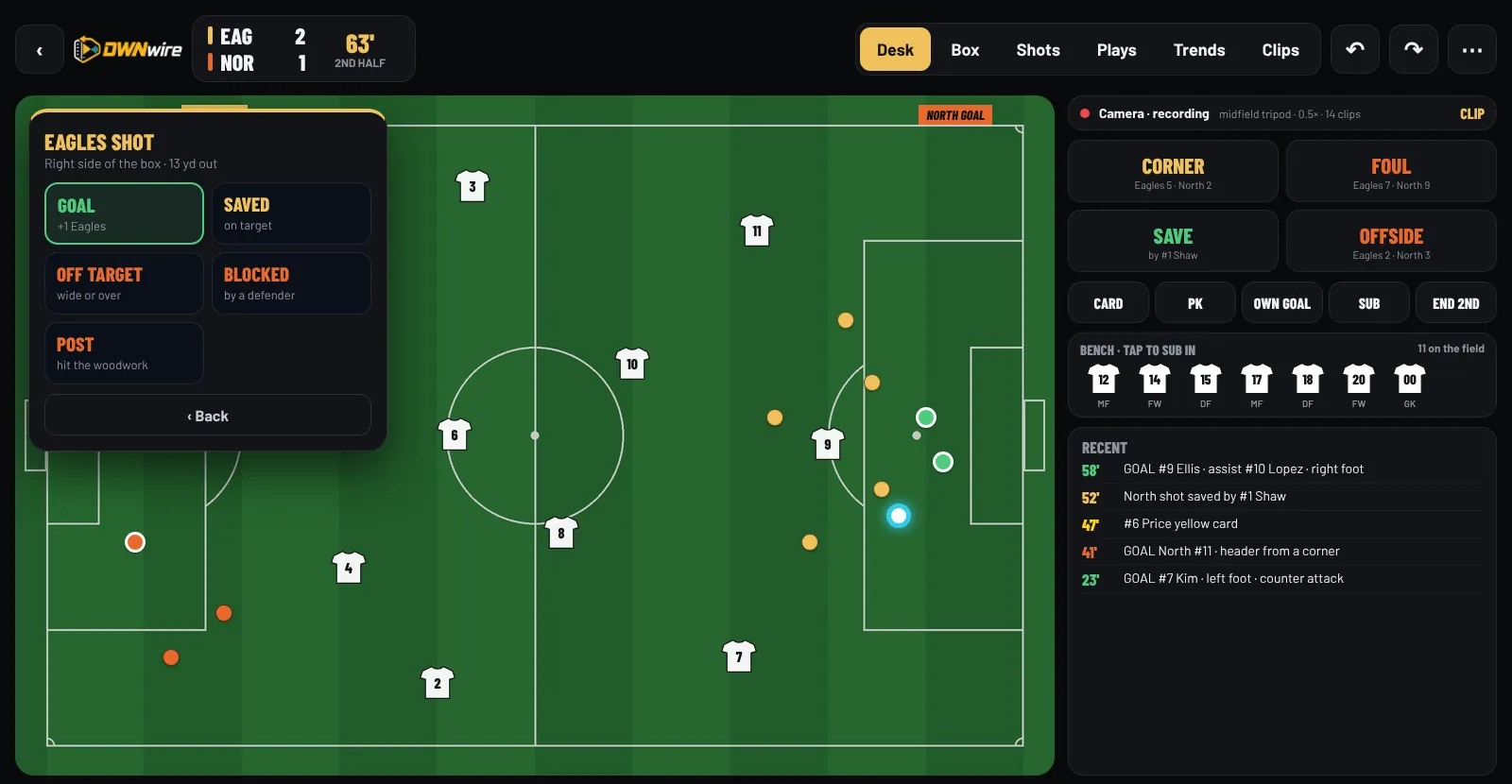
Every chance. Every minute.
Every stat starts with a tap.
Tap where the shot came from and answer one card: goal, saved, off target, blocked or post. Near our goal, it’s their shot. Corners, fouls, saves, offside and cards are one tap away.
- Your eleven on the field as jerseys, keeper included.
- Tap a bench jersey, then who comes off. Sub done.
- The clock counts up and shows stoppage time, like 40+2’.
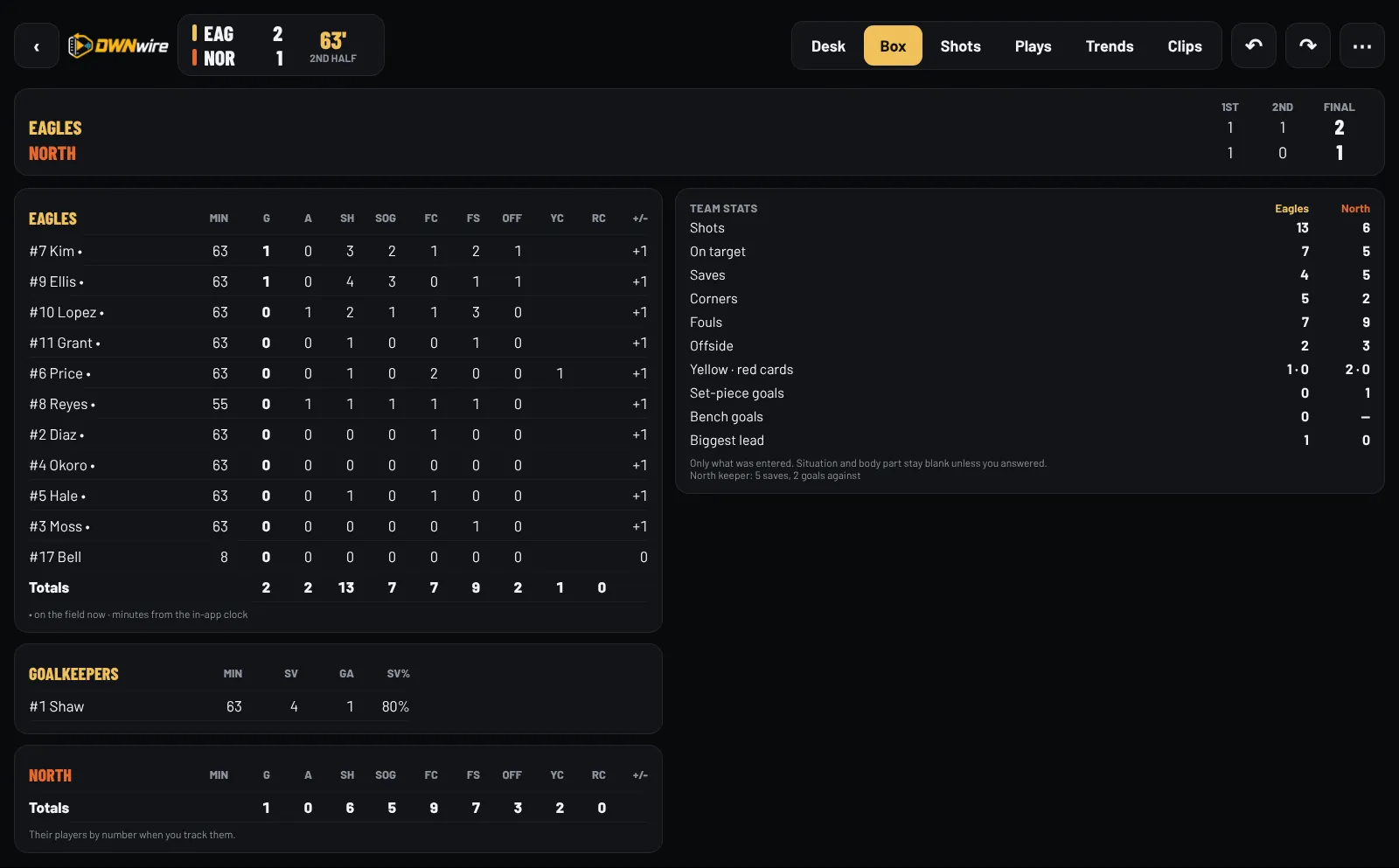
The full box, live.
Goals, assists, shots, shots on goal, fouls, offside, cards and +/- for every player, minutes from the in-app clock, and a goalkeeper line with saves, goals against and save %.
- Saves and goals against go to the keeper in goal at the time.
- Set-piece goals, bench goals and biggest lead.
- One-tap PDF or Excel export.

See where the goals come from.
Every shot on the attacking half, by result, with a zone view from the six-yard box to long range. Switch teams, pick a half or one player.
- Zones under 5 shots stay grey, so you don’t chase noise.
- Works for your team and the opponent.
- With video on, tap a dot or Watch these shots.

Know when you score.
Where both teams shoot from, goals by half, when goals come, who’s scoring, set pieces and shutouts, for this game, the last five or the whole season.
- Switch between game, last 5 and season.
- Zoom into the first half, the second half or overtime.
- Small samples are called out, and goal times need the in-app clock.
Run the bench right here.
Log a shot, hand out a card, make a sub and read the trends. It works the same way in the app.
Tap where the shot came from, pick the result, then who. Near their goal (right) it’s our shot; near ours (left) it’s theirs. The score, keeper saves and box score update.
Tap a circle on the field: near their goal for our shots, near ours for theirs.
| # | Player | G | A | SH | SOG |
|---|
#1 Shaw (GK): 3 saves · 1 goal against
Pick Foul, Yellow or Red, then the player. A second yellow sends a player off and the team plays short. Tap a bench jersey, then who comes off, to sub; replacing the keeper puts the new player in goal.
A sent-off player can’t be replaced. Saves and goals against go to whoever is in goal at the time.
Switch between this game, the last five and the season, or zoom into one half. Every number shows how many games it’s based on.
Goals for each player in this span.
Only goals where you answered How. The rest stay unknown.
Log a play and watch its clip arrive from the camera at midfield, then tap a ringed dot to watch it with the build-up. Try Walk out of range: the clips wait on the camera and arrive when you’re back.
Shot map · tap a ringed dot to watch
Illustration. In the app this is the video from your camera.
Scored from the bench. Ready at halftime.
One person, one device
A coach or manager keeps the book from the bench. Most entries are one tap on the field and one or two answers, and every card can be skipped.
High school and club rules
NFHS 2 × 40 with two 10-minute overtimes and penalty kicks, or club 2 × 45. Halves or quarters, 7 to 11 a side. Each level remembers its rules.
Cards and keepers, handled
A second yellow or a red sends a player off and the team plays short. Saves and goals against go to the keeper in goal at the time.
Honest numbers
Only what you entered. Situation and body part stay unknown unless you answered, minutes need the in-app clock, and small samples stay grey.
Every goal on film. No internet.
A second iPhone or iPad films the game. Every goal, shot, corner and card you enter becomes a labeled clip on your device within seconds.
Two devices, one tap to pair
Scan a QR code (or type 4 digits). They connect directly with Wi‑Fi and Bluetooth on, no router or cell signal. A team Wi‑Fi router works too.
Clips label themselves
Each clip starts 15 seconds before you tap the field and is named from what you scored. Off by default; your stats never wait on video.
Watch it from the chart
Tap any dot on the shot map to watch that shot, or Watch these shots for a player or a half. ½× slow motion, frame steps and Start 2s earlier.
Private by design
Video stays on your two devices. Nothing goes to the internet or into backups. Save or share one clip only when you choose.
You’ll need: any iPhone or iPad that runs iOS 16 as the camera, mounted on a tripod raised up at midfield, and a power bank. Check your league’s rules on video during games. Try the video demo ↑
Only a second iPhone or iPad on a tripod raised up at midfield. On iPhones with an ultra-wide lens the camera starts at 0.5×, so the whole field fits. Video is optional and off until you turn it on.
No. The two devices connect directly. At a big complex, a team Wi‑Fi router is an option.
No. Everything runs and saves on your iPhone or iPad, with daily backups on the device.
Yes. Add a Club level next to Varsity, JV and Freshman. Club games start with 2 × 45 and no overtime, and you can change halves, lengths and players a side per game.
Overtime periods follow your rules, and a tied game can go to kicks. Shootout kicks are kept apart and never count as goals or shots.
Track their jersey numbers for a scouting report by number. Export games, seasons and scouting reports as PDF or Excel.
Start a new season: seniors can go inactive and grades move up one. Earlier seasons stay viewable.
Export a backup to Files. Home reminds you when the last one is a week old, and daily copies stay on the device.
Keep the book at your next scrimmage.
Free during the TestFlight beta. Install Apple’s free TestFlight app, open the invite on your iPhone or iPad, and score a practice game.
Scan with your iPadOpen your camera and point it here to install Soccer.Not ready for TestFlight?
Leave your email and we’ll let you know when DWNwire Soccer is on the App Store.
Tell us about your program.
TestFlight access, pricing, setup questions or feedback. We read every message.
hello@dwnwire.comDWNWIRE LLC · DuPont, Washington